Captcha Solvers
hidettp automatically detects and solves CAPTCHAs encountered during bot execution by integrating with third-party solving services.
Supported Services
| Service | Website |
|---|---|
| 2Captcha | 2captcha.com |
| Anti-Captcha | anti-captcha.com |
| hCaptcha Solver | hcaptcha.com |
| CapMonster | capmonster.cloud |
Supported Captcha Types
- reCAPTCHA v2 — Google's checkbox and image challenge captchas
- hCaptcha — image classification captchas commonly used as a Cloudflare alternative
- Cloudflare Turnstile — Cloudflare's non-interactive challenge widget
How It Works
- The bot navigates to the target page and encounters a CAPTCHA.
- hidettp automatically detects the CAPTCHA type and extracts the sitekey from the page.
- The sitekey and page URL are sent to the configured solving service.
- The solving service returns a solution token.
- hidettp injects the solution token into the page.
- The bot continues execution.
This entire process happens transparently. No changes to your bot script are needed.
Proactive Detection
In pipeline mode, the system checks for CAPTCHAs before each step executes. This ensures that captchas appearing between steps are caught and resolved before they block the next action.
Challenge Detection
hidettp automatically detects Cloudflare challenge pages and DataDome interstitials. When a challenge is detected, the system:
- Waits for the challenge to resolve (some are non-interactive)
- Retries navigation if the challenge persists
- Falls back to the configured captcha solver if a solvable CAPTCHA is presented
Configuration
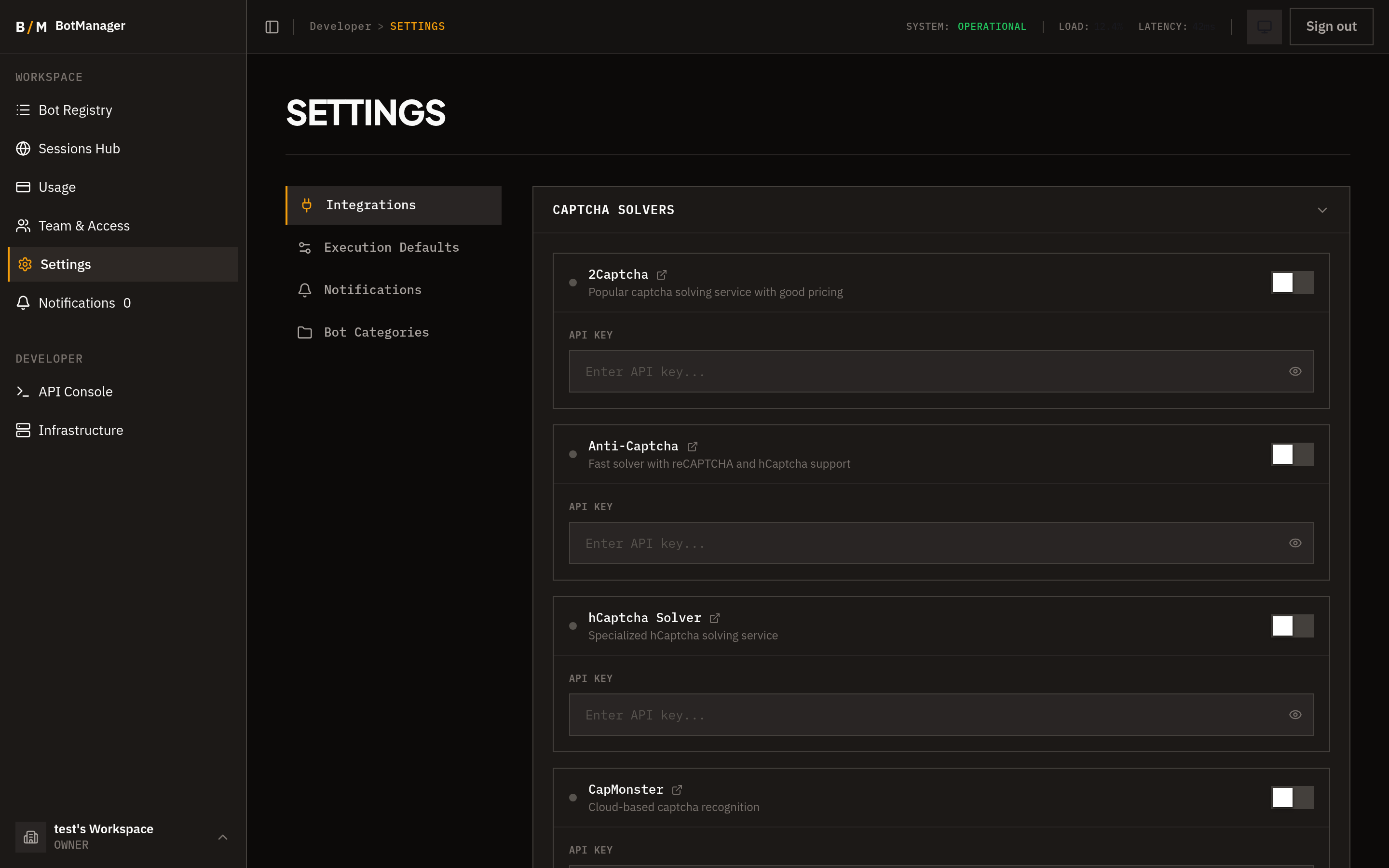
- Go to Settings > Integrations.
- Locate the Captcha Solving section.
- Select your preferred service.
- Enter your API key for that service.
- Save.
Per-Bot Selection
Each bot can use a different captcha solver. To configure this:
- Open the bot's settings.
- Navigate to the captcha solver section.
- Select which configured solver this bot should use.
- Save.
If no per-bot selection is made, the organization's default solver is used.